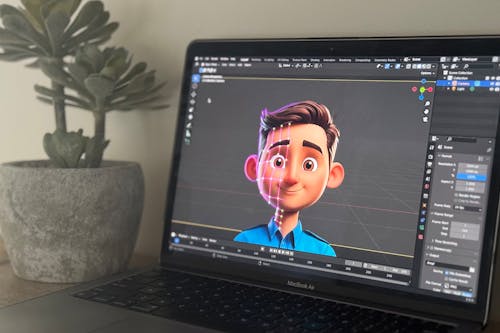
In a world driven by visuals, graphic design has become a powerful tool for communication. From branding to social media, from websites to packaging, design shapes the way we experience the world. At the heart of modern design workflows lies a powerhouse of tools—Adobe Creative Cloud.
Let’s explore the fundamentals of graphic design and how Adobe tools empower designers to turn ideas into impactful visuals.
🖼️ What is Graphic Design?
Graphic design is the art of combining text, images, and visual elements to communicate ideas. It blends creativity, strategy, and technology to craft everything from logos to infographics.
Common Applications of Graphic Design:
Branding & Logos
Website and App UI/UX
Social Media Creatives
Advertising & Marketing Collateral
Packaging Design
Motion Graphics
Design isn’t just about “making things look good”—it’s about making ideas clear, accessible, and memorable.
🔧 The Adobe Toolbox: Essential Software for Designers
Adobe offers a suite of industry-standard tools used by professionals worldwide. Let’s break down the most commonly used Adobe applications for graphic design:
🖌️ Adobe Photoshop: The Image Editing Giant
Best for: Photo editing, digital painting, and web graphics
Key Features:
Retouching photos and removing backgrounds
Layer-based editing
Filters, brushes, and AI tools like Generative Fill
Use Case: Creating banners, posters, and social media ads
✒️ Adobe Illustrator: Master of Vector Graphics
Best for: Logo design, icons, typography, and illustrations
Key Features:
Vector-based artwork (scalable without losing quality)
Precision with the Pen Tool
Typography tools and custom fonts
Use Case: Designing logos, business cards, and infographics
📄 Adobe InDesign: Layout and Publishing Powerhouse
Best for: Print design and multi-page documents
Key Features:
Page layout tools
Paragraph styles and typography settings
Interactive PDF and eBook creation
Use Case: Magazines, brochures, catalogs, and resumes
🎞️ Adobe After Effects: Bring Design to Life
Best for: Motion graphics and visual effects
Key Features:
Animating text and objects
Visual effects (VFX)
Integrates with Illustrator and Photoshop
Use Case: Animated logos, intros, and explainer videos
🖥️ Adobe XD: UX/UI Design Simplified
Best for: Designing websites and mobile apps
Key Features:
Wireframes and interactive prototypes
Responsive design tools
Real-time collaboration
Use Case: Web/app interface design and user flow mapping
🧠 The Designer’s Mindset: Skills Beyond Tools
While mastering Adobe tools is essential, great design comes from a sharp eye and a clear understanding of design principles:
Typography – Choosing the right fonts
Color Theory – Harmonizing colors for emotion and clarity
Composition – Arranging elements with balance and focus
Branding – Aligning visuals with identity and message
Problem-Solving – Understanding user needs and finding visual solutions
📚 Tips for Aspiring Designers
Practice daily. Recreate existing designs to learn layout and style.
Study real-world examples. Analyze ads, websites, or magazine covers.
Build a portfolio. Start with personal or mock projects.
Take online courses. Platforms like Skillshare, Coursera, and Adobe Learn are great resources.
Keep up with trends. Follow design communities on Behance, Dribbble, and Instagram.
🔚 Conclusion: Create, Innovate, Inspire
Graphic design is more than software—it’s visual storytelling with purpose. Adobe’s tools are just the brush; the creativity comes from you. Whether you’re creating for clients, building a personal brand, or just exploring a new hobby, design gives you the power to shape how the world sees ideas.
So fire up Adobe Creative Cloud and start designing your vision today.